
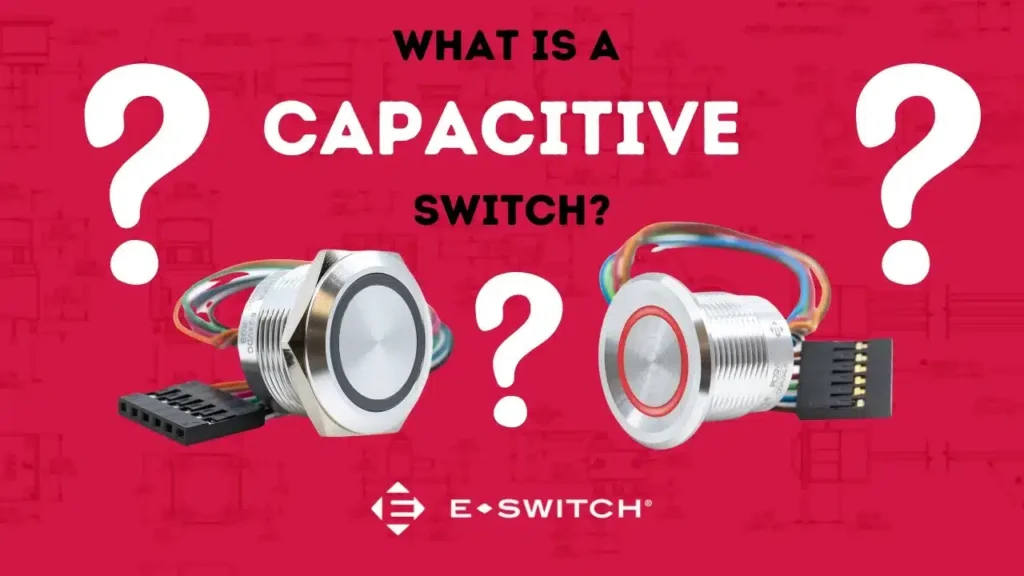
Switches are control mechanisms designed to open or close an electrical circuit to either allow or block the flow of current. However, different switch types offer different forms of actuation and functionality. One increasingly popular type is the capacitive switch, which is a form of “touch sensor” technology.
What is a Capacitive Touch Switch?
A capacitive touch switch is a type of electronic switch that detects touch or proximity by measuring changes in capacitance. Capacitance is the ability of a system to store an electric charge. In a capacitive touch switch, there is a sensor that is sensitive to changes in capacitance caused by the presence or proximity of a conductive object, such as a human finger.
When a user touches the surface of a capacitive touch switch, the capacitance of the system changes, and this change is detected by the sensor. The switch then registers the touch or proximity event and triggers the desired response, such as turning on a light, changing settings or executing a specific command in a device.
How Does a Capacitive Touch Switch Work?
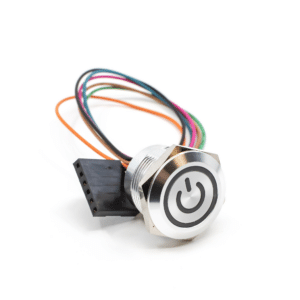
A capacitive touch switch works based on the principles of capacitance and the ability of certain materials to store an electric charge. Here’s a basic answer for the question: “How does a capacitive touch switch work?”
#1. Capacitance Principle: Capacitance is the ability of an object or system to store an electric charge. In the context of capacitive touch switches, the system typically consists of two conductive layers separated by an insulating material.
#2. Sensor Structure: The switch has a sensor structure that includes at least two layers – a conductive layer (usually made of indium tin oxide or a similar material) and an insulating layer (such as glass or plastic). These layers form a capacitor.
#3. Baseline Capacitance: When no external force is applied, the capacitor has a baseline capacitance. This is the normal state when there is no touch or proximity event.
#4. Touch or Proximity Event: When a conductive object, such as a finger, approaches or touches the surface of the switch, it disrupts the electric field between the conductive layers. The capacitance of the system changes due to the presence of the conductive object.
#5. Capacitance Change Detection: The switch circuitry continuously monitors the capacitance. When a change is detected, it signifies a touch or proximity event.
#6. Signal Processing: The detected change in capacitance is processed by the electronics associated with the touch switch. This processing may involve filtering out noise and determining the characteristics of the touch event.
#7. Output Activation: Once the touch event is identified and processed, the switch triggers a specific action or output. This could be turning on a light or activating a button.
#8. Release and Reset: When the conductive object is removed or the touch event ends, the system returns to its baseline capacitance, ready for the next touch.
What Are They Used For?
These touch switches are commonly used in various electronic devices and applications, including smartphones, tablets, touch-sensitive control panels and displays, laptops and computers, consumer electronics, automotive interfaces, gaming consoles, home automation systems, industrial controls, medical devices and public spaces.
These applications showcase the versatility of capacitive touch switches in providing intuitive and responsive user interfaces across a wide range of electronic devices and industries.
Pros & Cons
Pros
Durability: Capacitive touch switches have no physical moving parts, reducing wear and tear over time. This makes them more durable and long-lasting compared to mechanical switches.
Sensitivity: They can be highly sensitive, allowing for a responsive and precise touch interface. They can detect even slight changes in capacitance, enabling accurate touch recognition.
Aesthetic Design: These switches have sleek and modern design aesthetics. They allow for smooth and flat surfaces without the need for protruding buttons, enhancing the overall appearance of electronic devices.
Ease of Cleaning: Since there are no physical buttons or gaps, capacitive touch surfaces are often easier to clean. This is especially beneficial for devices in which hygiene is a concern, like in the medical industry.
No Audible Clicking: Unlike mechanical switches that may produce audible clicks, capacitive touch switches operate silently. This can be advantageous in environments where noise is a concern.
Cons
Cost: The technology can be more expensive to implement than traditional mechanical switches. This cost factor may impact the overall pricing of electronic devices.
Sensitivity to Environmental Conditions: They can be sensitive to changes in environmental conditions, such as temperature and humidity. Extreme conditions may affect their performance and could lead to the triggering of false touches.
Lack of Tactile Feedback: Unlike mechanical switches that provide tactile feedback through clicks or resistance, capacitive touch switches lack physical feedback. Some users prefer the tactile feel of physical buttons.
Limited Functionality in Gloves: Capacitive touch screens may not respond to touch input when the user is wearing gloves, as gloves may not conduct electricity.
E-Switch Capacitive Touch Switch Products
CS Series Illuminated, Touch Sensor Anti-Vandal Switch
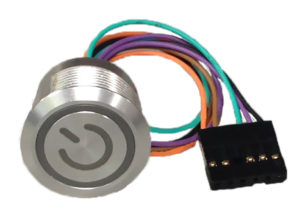
- 19mm or 22mm diameter panel cutout
- SPST circuit; latching or momentary functions
- 1A, 5-24VDC; IP68 rated
- Six wires (150mm long) with connector housing (1×6 pin)
- Ring or ring/power symbol illumination
- Long life of 50 million cycles
- -40°C to +85°C operating temperature
PZ Series Anti-Vandal, Illuminated Piezo Switch
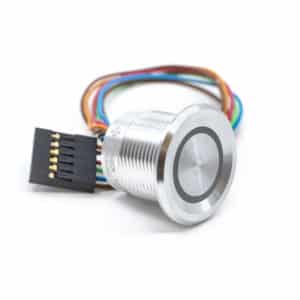
- 16mm, 19mm or 22mm diameter panel cutout
- 1A, 24VDC; IP68 rated
- Piezo switch; momentary pulse function
- Wire leads (150mm or 300mm long) with connector housing
- Concave or flat bezel; clear anodized or black anodized finish
- RGB illuminated ring or non-illuminated styles
- 50 million cycles electrical life
- -20°C to +65°C operating temperature
